Please note: WooCommerce is an external tool that we use. For questions about how WooCommerce itself works, we refer you to the official WooCommerce documentation.
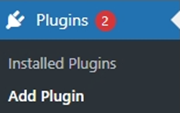
In WordPress, go to Plugins and then click Add Plugin.
Next, go to the search bar in the top right corner and search for Print.com.

Then install the Print.com Print on Demand plugin and click Activate. After activation, the Print.com plugin will appear in the menu on the left-hand side.