---
title: Aktivieren Sie Ihr Pop-up-Store-Konto
description: Dieser Artikel erklärt, wie Sie Ihr Pop-up-Store-Konto aktivieren. Er enthält eine Schritt-für-Schritt-Anleitung zur Registrierung und Anmeldung.
---
[Zu Content springen](https://knowledge.print.com/de/helpcenter/step-1.-activate-your-pop-up-store-account#main-content)
- [Deutsch](https://knowledge.print.com/de/helpcenter/step-1.-activate-your-pop-up-store-account)
- [English](https://knowledge.print.com/helpcenter/en/step-1.-activate-your-pop-up-store-account)
- [Français - France](https://knowledge.print.com/fr-fr/helpcenter/step-1.-activate-your-pop-up-store-account)
- [Nederlands](https://knowledge.print.com/nl/helpcenter/nl/activating-your-pop-up-store-account)
- [Nederlands - België](https://knowledge.print.com/helpcenter-nl-be/step-1.-activate-your-pop-up-store-account)
Deutsch
Untermenü für Übersetzungen anzeigen
[Mehr Unterstützung](https://knowledge.print.com/de/helpcenter/kb-tickets/new?hsLang=de)
[](https://knowledge.print.com/migration/nl/helpcenter?hsLang=de)
-
Hauptnavigation öffnen
Hauptnavigation schließen
-
- - [Deutsch](https://knowledge.print.com/de/helpcenter/step-1.-activate-your-pop-up-store-account)
- [English](https://knowledge.print.com/helpcenter/en/step-1.-activate-your-pop-up-store-account)
- [Français - France](https://knowledge.print.com/fr-fr/helpcenter/step-1.-activate-your-pop-up-store-account)
- [Nederlands](https://knowledge.print.com/nl/helpcenter/nl/activating-your-pop-up-store-account)
- [Nederlands - België](https://knowledge.print.com/helpcenter-nl-be/step-1.-activate-your-pop-up-store-account)
Deutsch
Untermenü für Übersetzungen anzeigen
- [Mehr Unterstützung](https://knowledge.print.com/de/helpcenter/kb-tickets/new)
- [Back to the webapp](https://app.print.com/)
[Back to the webapp](https://app.print.com/)
Wie können wir Ihnen helfen?
- Es gibt keine Vorschläge, da das Suchfeld leer ist.
1. [Toolbox Hilfecenter](https://knowledge.print.com/de/helpcenter?hsLang=de)
2. [Solutions](https://knowledge.print.com/de/helpcenter/solutions?hsLang=de)
3. [Pop-up Store](https://knowledge.print.com/de/helpcenter/solutions?hsLang=de#pop-up-store)
# Aktivieren Sie Ihr Pop-up-Store-Konto
## Dieser Artikel erklärt, wie Sie Ihr Pop-up-Store-Konto aktivieren. Er enthält eine Schritt-für-Schritt-Anleitung zur Registrierung und Anmeldung.
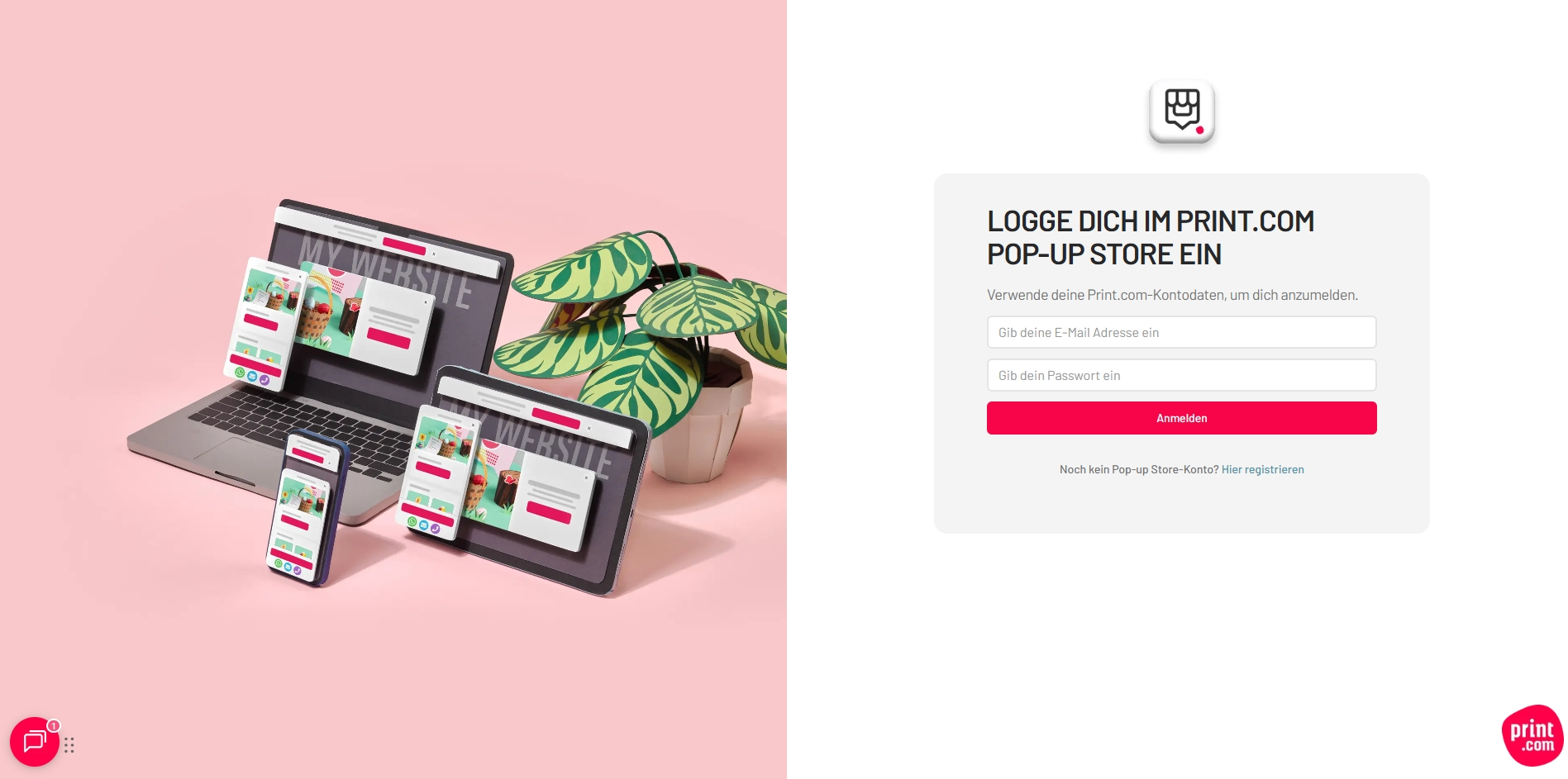
Um Ihr Pop-up-Store-Konto zu aktivieren und sich zum ersten Mal anzumelden, registrieren Sie sich zunächst über [https://popup.print.com/signup](https://popup.print.com/signup). Verwenden Sie dabei dieselben Anmeldedaten wie für Ihr Print.com-Web-App-Konto. Vergessen Sie nicht, das Kästchen *Ich stimme den Allgemeinen Geschäftsbedingungen zu* anzukreuzen, und klicken Sie anschließend auf *Registrieren.*
******
- [Solutions](https://knowledge.print.com/de/helpcenter/solutions?hsLang=de#main-content)
- [Pop-up Store](https://knowledge.print.com/de/helpcenter/solutions?hsLang=de#pop-up-store)
- [Print on Demand plugin, WooCommerce](https://knowledge.print.com/de/helpcenter/solutions?hsLang=de#print-on-demand-plugin-woocommerce)
- [Print on Demand, Shopify app](https://knowledge.print.com/de/helpcenter/solutions?hsLang=de#print-on-demand-shopify-app)
[](http://print.com?hsLang=de)
Copyright © 2025, Print.com